SPOTYour Game
You tell me what happened. A bad round, a range session that went sideways, a miss you can’t shake. Talk, type, or film it. I sort it out, and your game profile updates the moment we’re done.

Getting your game ready.

your coach, caddie, and training partner.
Mo connects every round, practice session, and breakthrough into one continuous improvement loop that remembers your game, shows you what matters now, and carries your progress forward.
No guessing. No wasted reps. No losing the thread between the moments that matter.
From the couch to the course, Mo's got you.
Back pocket. Front pocket. Cupholder. That awkward cubby space in the golf cart. Mo goes where your phone goes.
Your Next Step
Start where you are. Find your next step.
Build a foundation, one step at a time.
Explore Starter PathGive your practice a goal.
Explore Challenger PathFind focused drills and practice that fits.
Explore Drills & Skill PathsWork toward your date with a plan.
Explore Competition Training Plan

From Mo
I've seen it a hundred times.
Your schedule makes it hard to get to a regular lesson, let alone to the course or range as often as you'd like.
You watch videos until your head spins. You go to the range and hit balls until your hands hurt. You play a round, something clicks, and by Thursday you can't remember what it was.
That's not a you problem. That's a system problem. Or rather — no system at all.
You don't need more generic tips. You need a loop that actually sticks.
That's what I'm here for.
The SkillSpot Loop
Most improvement plans run in a straight line: do this, then this, then that, and then they stop. Golf doesn't work that way. A good range session changes your next round, and a rough round changes your next practice. SkillSpot keeps that loop going: your range sessions inform your rounds, your rounds reshape your practice, and your progress updates everything in between. Every loop makes the next one better.
From Mo
You tell me what happened. A bad round, a range session that went sideways, a miss you can’t shake. Talk, type, or film it. I sort it out, and your game profile updates the moment we’re done.
I give you a focused plan based on what I just learned. Not 12 drills you’ll never finish. Two or three things that actually matter right now, chosen for your schedule, your Skill Vitality, and what your last round told me.
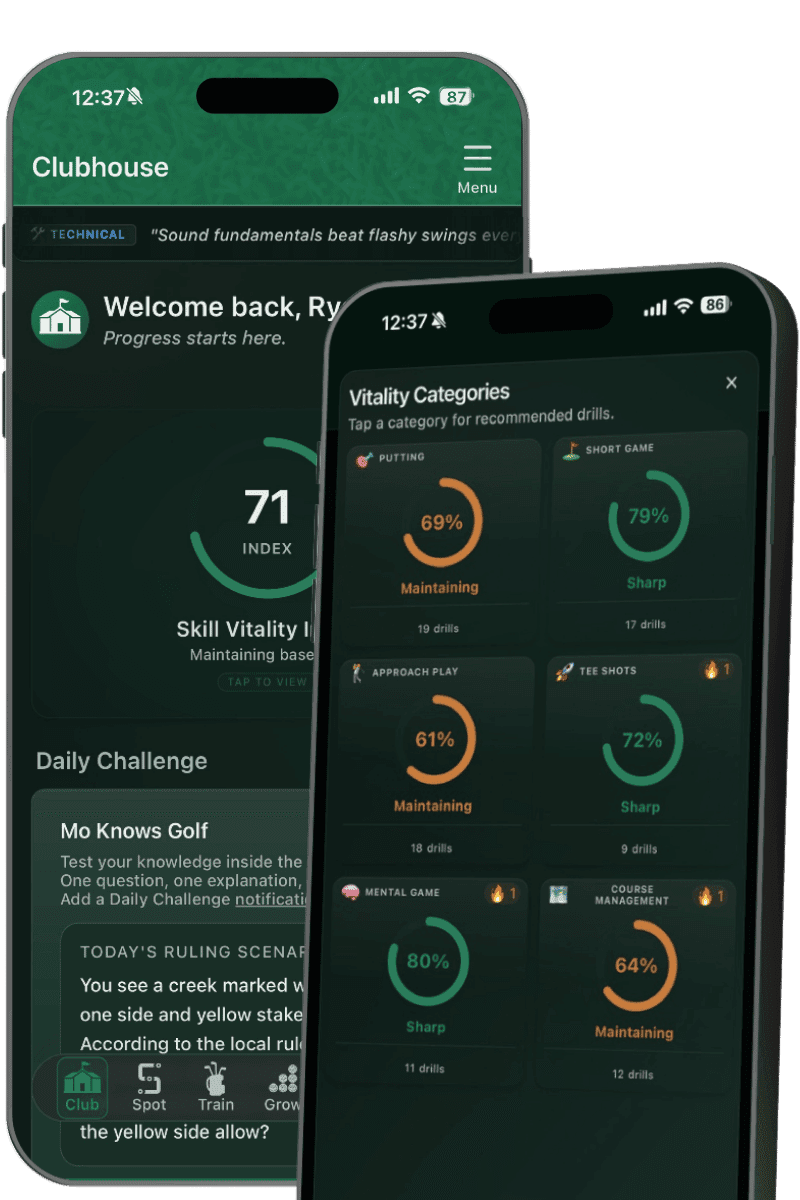
You practice, you reflect, I adjust. Your Skill Vitality updates. Your carry distances update. Your weak spots shift. Every session changes what the next plan looks like because your game just changed.
I’m on the bag. The game plan I prepare uses your actual distances, your current Skill Vitality, and everything we’ve worked on. When things unravel mid-round, I’m there. When the round ends, your score and stats feed back into the loop.
Here's the difference
One great session doesn’t guarantee a great round. One bad round doesn’t erase the work you’ve put in. The goal is finding the next meaningful step—and having a system that helps you take it.
Got 45 minutes? Mo gives you a plan that fits 45 minutes. Can’t get outside this week? Mo has indoor drills. Bad back or a knee that doesn’t cooperate? Tell Mo — he adjusts.
A spreadsheet of stats is only part of the equation: fairways hit, GIR, putts. That’s not coaching — that’s a scoreboard. Mo takes what happened, figures out what it means, and prioritizes exactly what to practice and in what order.
Already tracking your stats somewhere else? Export your data, run it through any AI assistant with the prompt we give you below, and upload it. Mo will know your tendencies, your history, and your patterns from day one.
View Import Prompt →Mo doesn’t clock out when you leave the range. Scan your scorecard, and Mo prepares your game plan — warm-up, weather tips, and hole-by-hole strategy using your actual club distances.
Got a member-guest in six weeks? A club championship at the end of summer? Mo maps out your training schedule backward from that date — sharpening the right skills and adding pressure practice so you show up ready — training designed for everyday golfers, not just tour pros.
Explore SkillSpot
Your round shapes your drills. Your drills update your Skill Vitality. Your Skill Vitality informs your caddie tips.
One app. One loop. Everything feeds the next thing.
Personalized plans, Fundamentals—the free SkillSpot Drill Library—and Skill Paths. Practice on your own, with a private Crew, or alongside a public Group, all from the Train page.
Explore Practice & Paths →Your game is personal. Getting better can be shared. The Connect tab on the Clubhouse page keeps your golf community close through The Turn, shared progress, and motivation.
Explore Connect →Connect practice results, round patterns and Skill Vitality to what comes next—more useful practice and game plans that reflect how your game is progressing.
Explore Your Progress →Build game plans that reflect your progress, keep course reminders current, and explore Home Course conditions and leaderboards on the Play page.
Explore On-Course Features →Try Your First Drill Free
Get a feel for purposeful practice with the Two-Gate Putting Drill from Fundamentals, the free SkillSpot Drill Library.

Beginner · About 10 minutes
Place two tees just wider than your putter head around the ball.
Add another pair 6–12 inches ahead, just wider than the ball.
Choose one distance between 3 and 6 feet and keep the setup fixed. Count balls passing through the second gate without touching either tee. Reset any tee you knock over.
Your target: 8 out of 10.See how many you get today. Try the same setup again to see your progress.
The SkillSpot Experience
Ask Mo
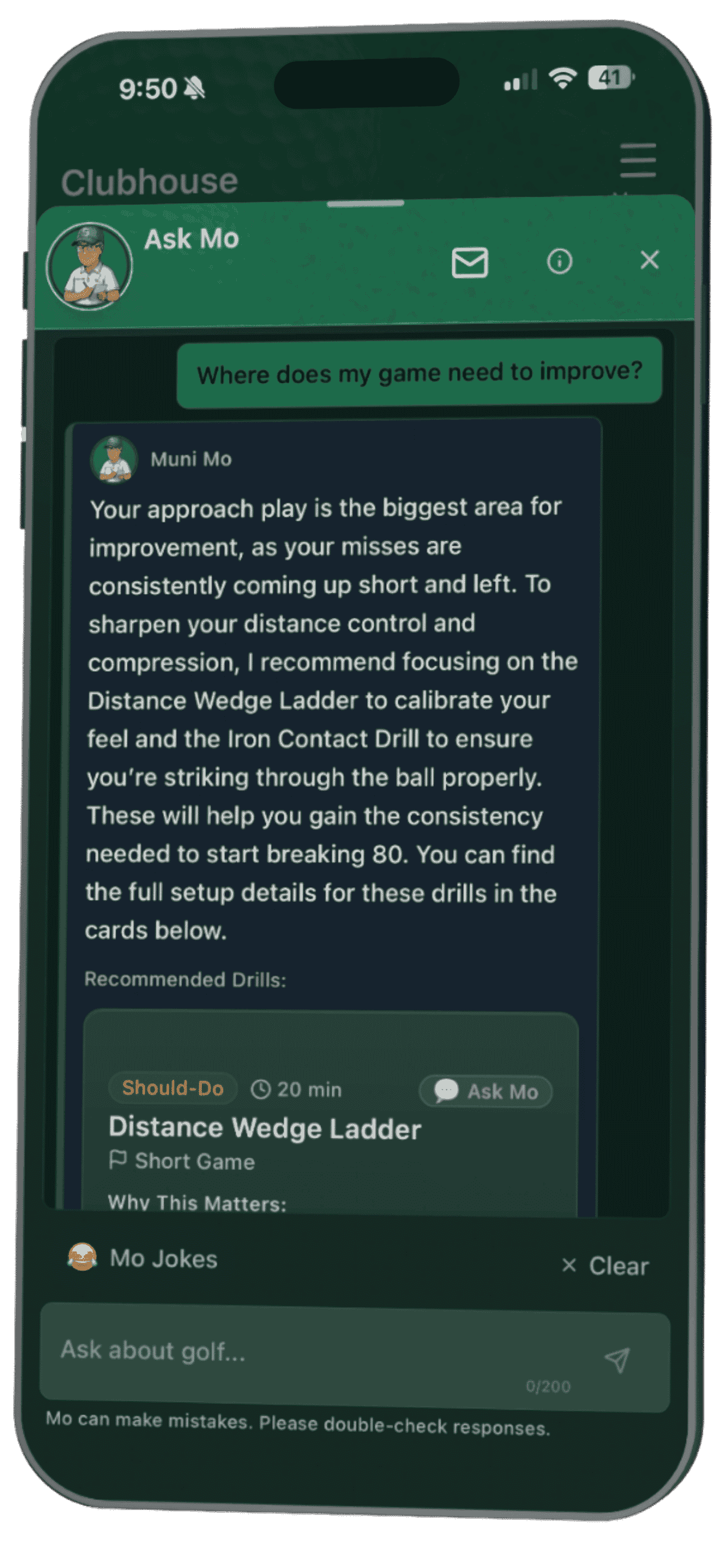
Mid-round, mid-practice, or at 11pm when you can’t stop thinking about that duck hook, Mo knows your game and he’s always available. Need a ruling explained? Mo’s got it. Want to talk through what’s been going wrong with your irons? That’s exactly what he’s here for. While he can’t help you find your ball, he can help you keep it in play.
Early Feedback
"I used SkillSpot Golf during a round at East Lake Golf Club — a PGA Tour venue. Shot a personal best there. The live-round caddie and course management advice made the difference."
Stephen, Atlanta, GA
You could be next. Try SkillSpot Golf today.
Be one of the first 100 golfers to try SkillSpot Golf.

From the founder — Why I built SkillSpot Golf
I grew up in Carlsbad, California. Great courses nearby, great weather, great golf culture. But, eventually, life took me elsewhere — first Virginia, then, Alabama.
Nowadays, my closest public course is 45 minutes away. What was once easy access to courses and coaching has become long drives, tight schedules, and tradeoffs that don't fit real life.
Ryan Connally · Founder
Continue reading →Choose What Fits
Start Free with drills, scoring, and progress tracking. Choose Pro when you want Mo to turn what you’re learning into personalized practice, game plans, and ongoing coaching.
A short onboarding gives Mo context about your game. Your chosen goal takes you straight to your starting point.
Start with your free SkillSpot account.
Tell Mo about your game and choose what you want to work toward.
Finish onboarding and go straight to the starting point for the goal you chose.
Questions Golfers Ask
Quick answers before you decide if Mo belongs in your practice plan, your scorecard, and your next round.
SkillSpot Golf is a golf improvement system built around Mo, your coach, caddie, and training partner, connecting your rounds, practice, progress, and golf community into one continuous experience.
No. You can use Fundamentals, your own plan, and solo Skill Paths without joining a Crew or Group or sharing your activity.
Explore Practice & Paths →No. Joining doesn’t share your activity. You choose what to share and who can see it.
Understand Sharing →Use Starter for the foundation, Challenger for Break 100/90/80 goals, a focused Skill Path for one skill, or Mo’s personalized plan for current priorities. Fundamentals is the free SkillSpot Drill Library, where you can select a drill directly.
Compare the Paths →No. SkillSpot runs on your phone. No hardware, no gadgets, no launch monitor required. Just you and your clubs.
Your golf game doesn’t happen in separate boxes, so SkillSpot doesn’t treat it that way. Your rounds shape what you practice next, your practice carries into your next round, and Mo keeps the whole thing connected as your game changes. Every round. Every practice. Every breakthrough. One continuous improvement loop.
Yes. The Starter Path gives new golfers a structured route from first swing to course-ready, stage by stage, with drills and swing checkpoints built in the right order.
No. The Starter Path helps new golfers, the Challenger Path targets breaking 100, 90, or 80, and the Competition Training Plan builds event prep backward from your tournament date.
Yes. Export your data, run it through an AI assistant with the prompt Mo provides, and upload the result to your Knowledge Base. Mo can learn your tendencies, history, and patterns from day one.
Tell Mo the date of your tournament, member-guest, or club championship. He builds the training block backward from that date, sharpening the right skills and adding pressure reps so you peak when it counts.
Founding plans give the first 50 golfers on each plan a discounted direct web purchase offer at SkillSpotGolf.com. Direct web purchases also include a 30-day money-back guarantee.
FROM MO
You don't need more advice. You need fewer decisions and better follow-through. Your access to improvement starts here.