
Choose Course Details
Find your course and tee details in the Course Library.
Mo on the Bag
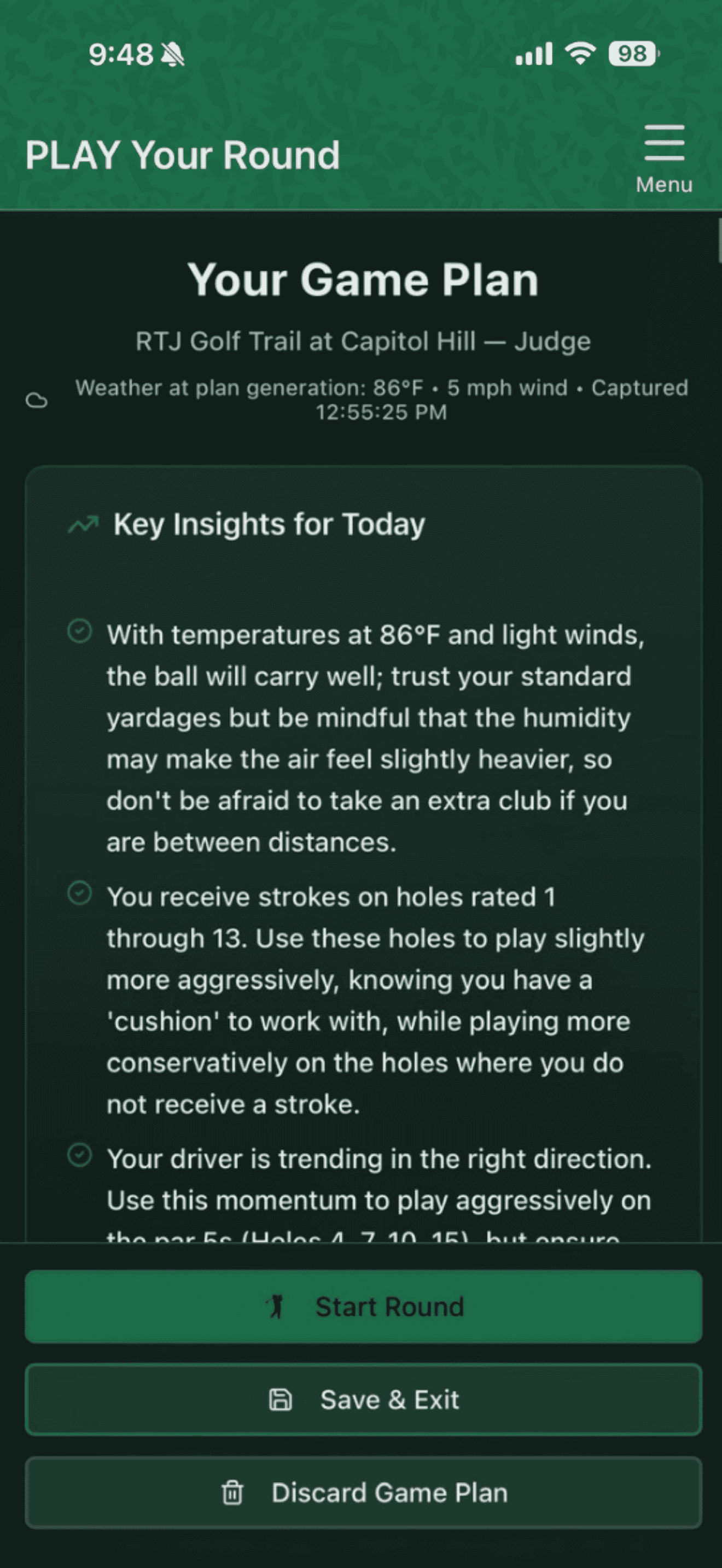
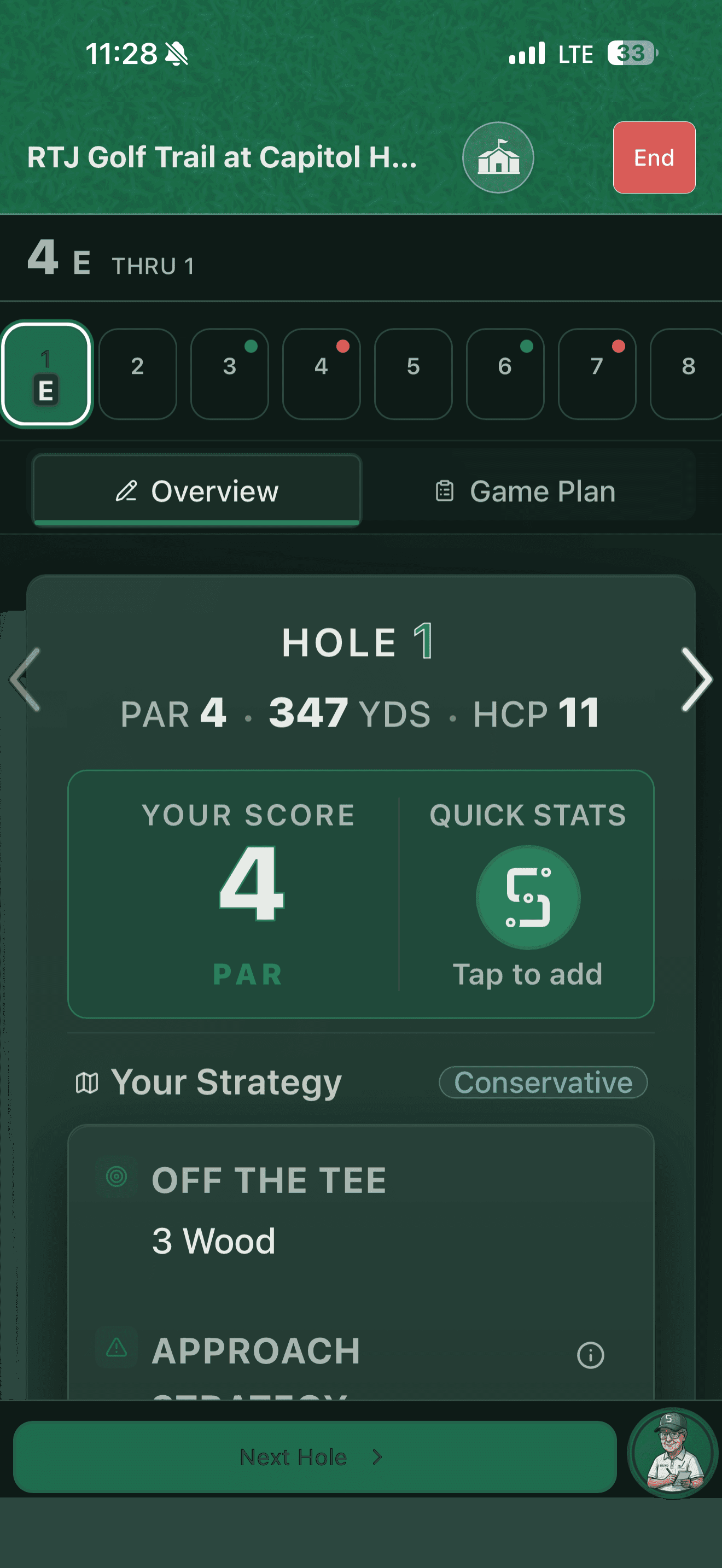
Your game changes. Your next game plan should reflect it. Prepare with your current progress, club distances and course knowledge, then keep scoring simple while you play.
Course Library & Saved Setups
Find your course and tee details in the Course Library.
Return to a course card or saved setup without rebuilding familiar details.
Scanning remains an option when you need to prepare the course details you have in hand.
Game Plans & Caddie Guidance PRO
Live Round
Your next game plan brings together your current distances, recent progress, and the course reminders you’ve saved. After you play, your scores, quick stats, and reflections help shape the next one.
See What Your Round Can Teach You →Scan your scorecard before your round and Mo prepares a game plan. During the round, hole-by-hole caddie tips and quick scoring keep pace with you — and when the pressure builds, Mo’s tone shifts into caddie/sport-psychologist mode, a different voice than the Ask Mo you talk to off the course.
Personal Course Memory
A useful reminder about a hole. A lesson from the last visit. Keep personal course memory connected to your saved course, and update it when your experience or the course changes.
Add a course-wide or hole-specific memory through Manage Course Memory. Save the reminder you want Mo to use.
Edit remembered advice, remove what no longer helps, and review suggestions before saving them. You decide which memories stay active.
Mo brings the course reminders you’ve saved together with course notes and your current game when preparing future course guidance.
Update your course reminders whenever you need to. Generate a fresh game plan to bring those changes into your next round.
Home Course & Course Activity
Find or add your Home Course on the Play page, with weekly and monthly Leaderboard and Course Conditions side by side. Explore other courses, see how they’ve been playing, and choose what you want to contribute.
Keep useful course context close at hand. Set your Home Course, and you decide what you share with other golfers.
Choose a completed round to share on your course’s score board.
The scorecard tells you the yardage. Golfers tell you how it’s playing. See recent community-reported observations about greens, fairways, pace of play, and practice facilities, with the date they played. These are golfers’ observations, not official course assessments.
On your wrist
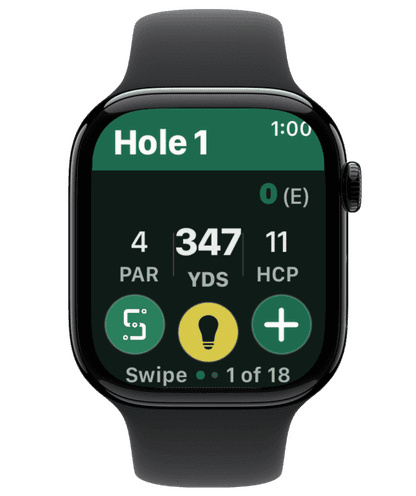
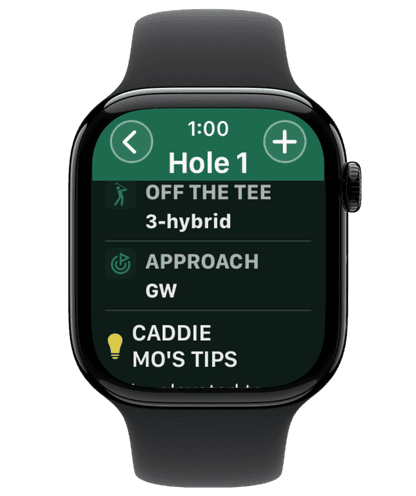
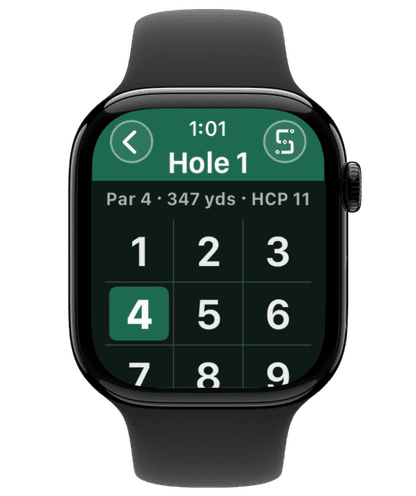
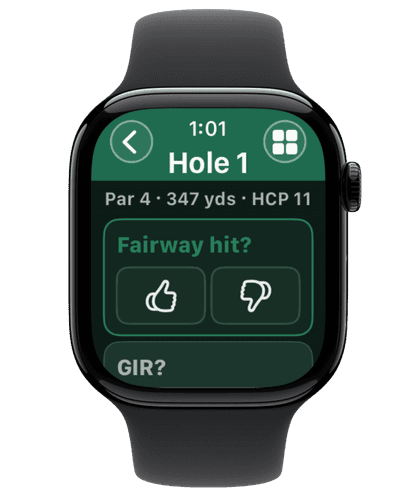
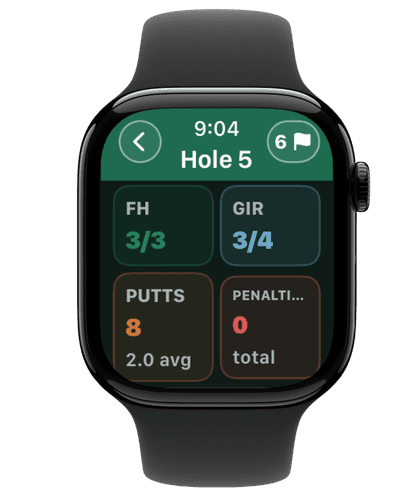
The full Apple Watch flow — from hole overview to scoring — so your phone can stay in the cart between shots.
Score straight from your Apple Watch. Keep your phone in the cart between shots, then bring your round back to Mo for the next useful practice.
Play Your Kind of Round
Playing with friends? Start a group round and share a join link with other SkillSpot Golf users — everyone’s scores land in one shared scorecard you can fill in together. After the round, Mo's Group Take may include some light roasting of your group's past performance.
Stroke Play, Match Play, Skins, Scramble, Best Ball, Nassau, Stableford, Wolf, and Custom scoring. Pick your format when you set up the round and let the scorecard do the math for you.
Bad signal is no problem. Keep scoring when your connection drops, and SkillSpot syncs your round the moment you’re back online.
One real on-course situation, every day. Mo gives you the scenario, you pick your ruling, and he gives his interpretation of the correct ruling and why. Keep studying with the Rules Range, a fun way to learn more about the nuances of golf rules. Streaks track your consistency, not your score.
SkillSpot calculates a WHS-style handicap estimate from your logged round scores — so you always have a working number, even between official postings. Note: only an authorized golf club, association, or GHIN record can issue an official Handicap Index.
Your Next Useful Step
Prepare your next round and keep scoring simple while you play.