
Practice and Play Keeps Skills Active
Vitality reflects the work you put into your game. Time away matters too; Mo uses that context to guide the next plan.
Your Progress
Turn what you learn from practice and rounds into clearer priorities, useful practice, and game plans that grow with you.
Your Progress in Grow
Journey brings together your current picture and next step. Moments celebrates milestones. Rounds holds your handicap estimate and round recaps. Patterns brings Scoring Patterns, Putting Performance and ShotSpread together. Swing keeps your analyses and trends; Practice holds sessions and recorded results.
Skill Vitality
Six areas of your game — putting, short game, approach play, tee shots, mental game, and course management — each with a health score. Scores go up when you work on them. They fade when you don’t. That’s not a punishment. That’s how skill actually works.
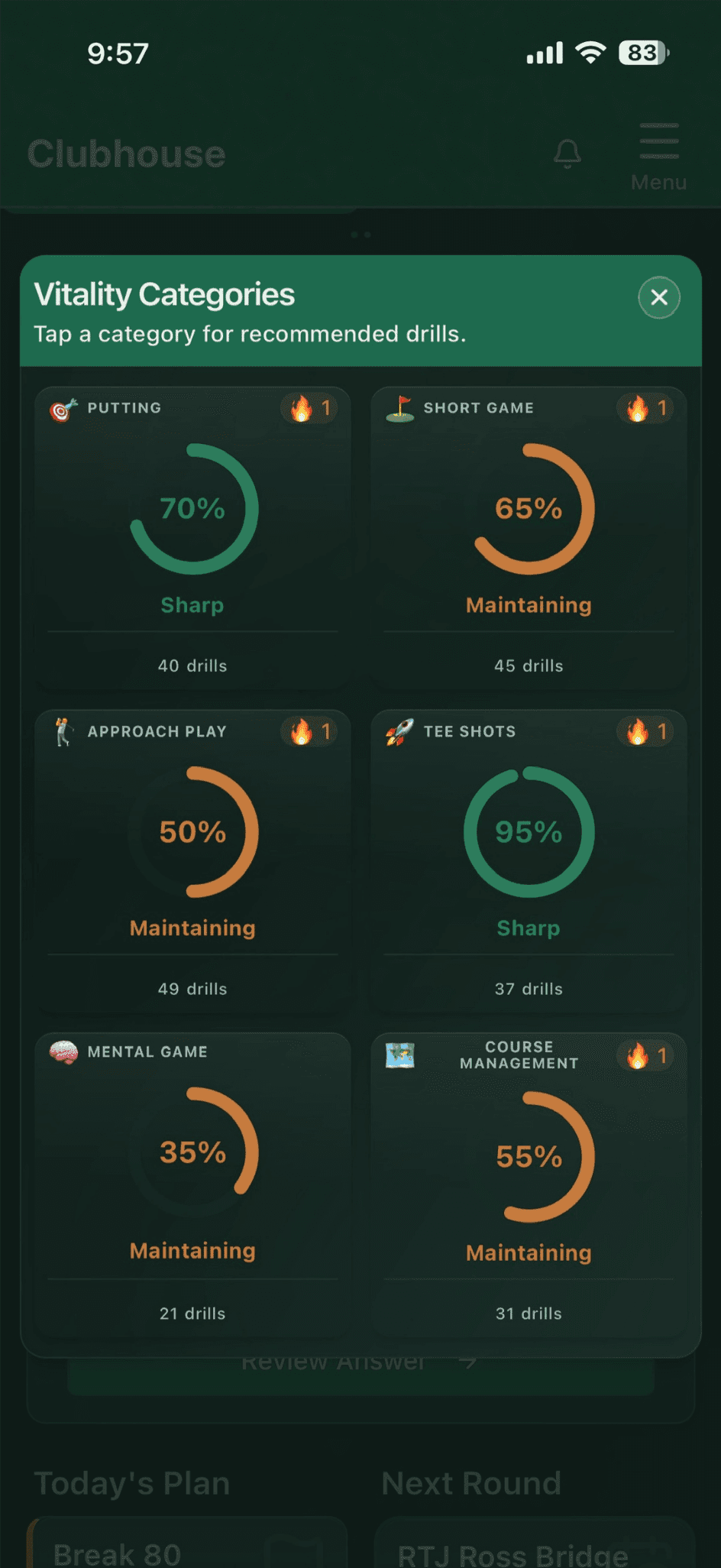
Vitality reflects the work you put into your game. Time away matters too; Mo uses that context to guide the next plan.
Recording your results helps you see how your skills are improving as you keep practicing.
Patterns
On the Grow page, Scoring Patterns, Putting Performance and ShotSpread help you make sense of recent rounds: where strokes add up, how your putting went and where shots tend to finish. Bring those lessons into your next practice session.
See Where the Shots Add Up
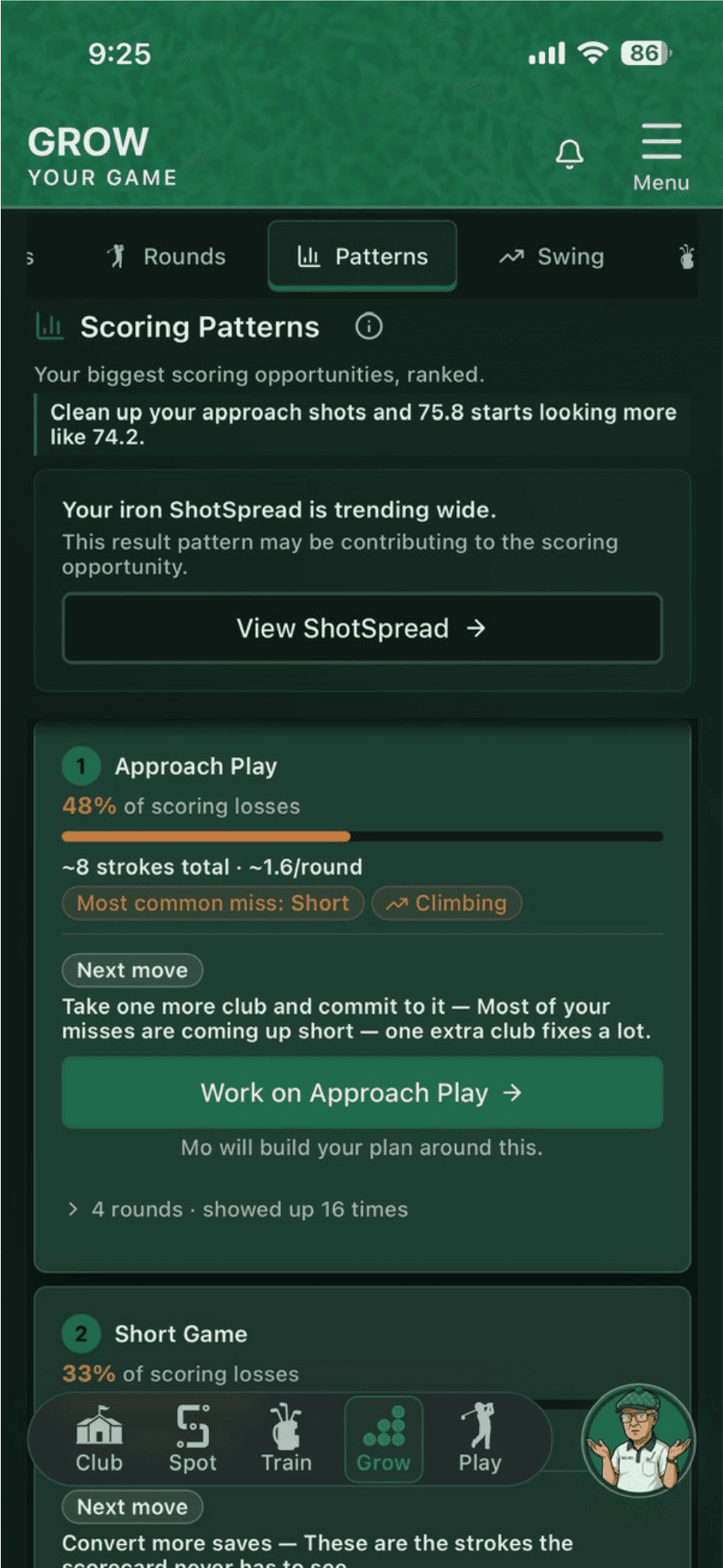
Record quick stats during your rounds to see where strokes are adding up—from missed approaches and penalties to three-putts and missed saves. Scoring Patterns highlights what keeps showing up and how it’s changing over time. Mo turns your biggest opportunity into a focused practice plan.
Putting Performance
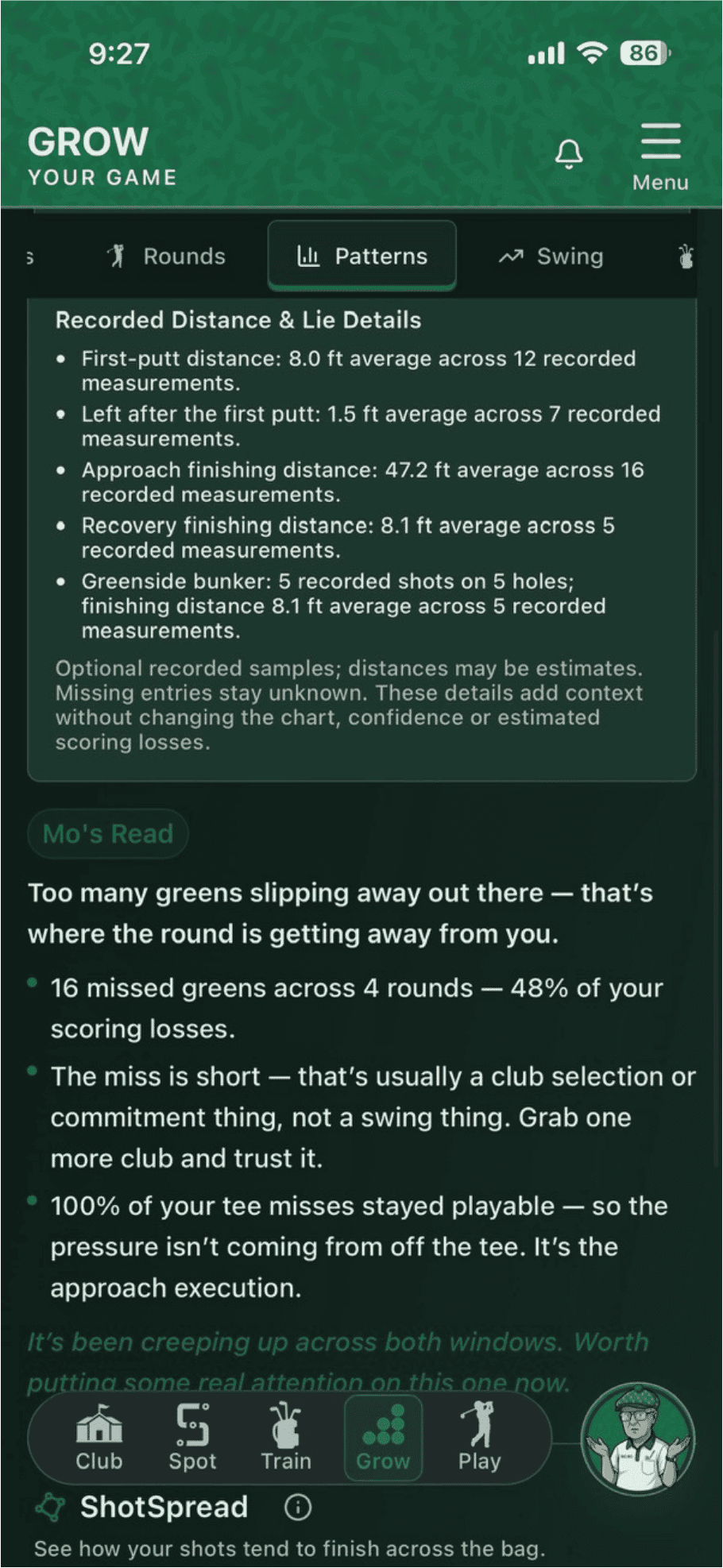
Bring your recorded putting distances, misses and hole outcomes together in one visual view. Explore recent rounds or revisit a course, then cycle through individual holes without losing your place.
Review first-putt distances, what was left and miss tendencies. Optional details stay optional; missing entries stay unknown.
Choose a course or round, open its recorded holes and compare distance control with earlier visits.
Stats and history are available free. With Pro, Mo’s Read connects a supported putting issue to a Next Move. Choose Work on Putting to take that focus into Train.
ShotSpread PRO
Record quick stats during your rounds and tell Mo what you’re noticing in your game. SkillSpot turns those insights into a visual picture of where your shots tend to finish—and Mo helps you turn those patterns into focused practice.
ShotSpread helps you understand where your shots tend to finish using your recorded stats and what you tell Mo.
Turn a Pattern Into Useful Practice →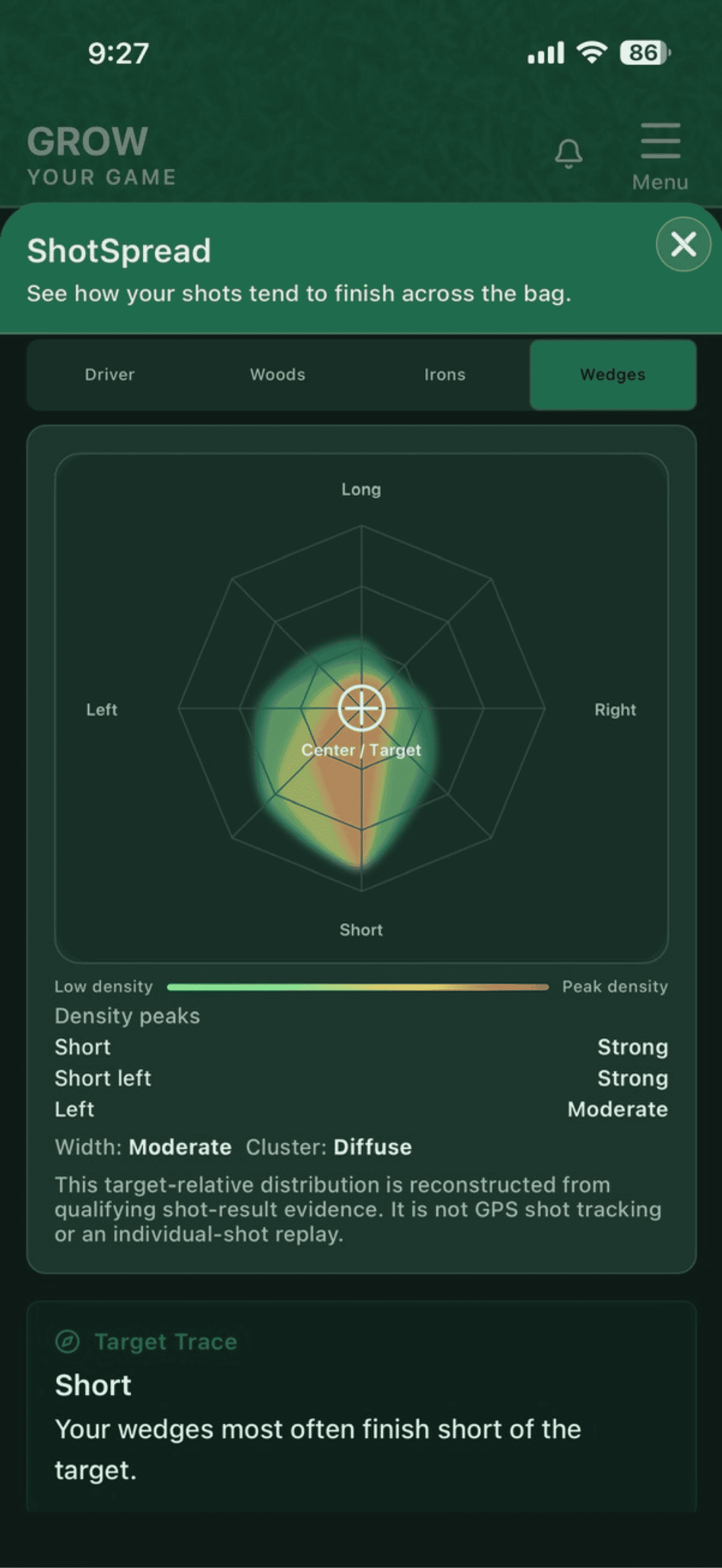
Practice Results
Record your results on drills that include scoring, then see how you improve when you try them again. Give Mo something more useful than “felt pretty good.”
Finish your practice and record a result when the drill includes scoring.
See how repeat attempts improve at the same difficulty, then challenge yourself at the next level.
Use what you learn to shape your next session. You can correct a result if you entered it wrong.
Connect Results to What Comes Next
Your practice results, rounds, and swing analysis help Mo decide what comes next. As your game changes, your priorities change with it.
Mo uses your results and current circumstances to focus the next session—reinforcing useful work or addressing what still needs attention.
Explore Personalized Practice →Prepare your next round using your current game, club distances, and the course reminders you’ve saved. Improvement should carry into the decisions you make on the course.
See How Game Plans Evolve →See your milestones along the way—and carry what you’ve learned into your next session or round.
Sometimes the little victories matter just as much as the big ones. When you want a little encouragement, visit The Turn on the Connect tab of the Clubhouse page to celebrate progress with other golfers. Your own practice can stay private.
Visit The Turn in Clubhouse →Knowledge Base
Bring what you’ve already learned about your game. A summary of your past rounds, stats and lessons gives Mo a head start on understanding you.
The prompt works with any app that lets you export your data — it only takes a few minutes.
Already tracking your game in another app? That data doesn't have to stay there. Export it, run it through any AI assistant like Gemini, Claude, or ChatGPT with the prompt below, and upload the result. Mo will know your tendencies, your history, and your patterns from day one.
Open your current golf app and look for Export or Download My Data in Settings. Most apps offer CSV or JSON.
Open any AI assistant like Gemini, Claude, or ChatGPT. Upload your file and use the prompt below.
Save the output as a document and upload it to your Knowledge Base in Settings. Mo will reference it immediately.
Paste this into your AI assistant with the data file you exported.
You are a professional golf instructor reviewing a new student's historical golf data. Your job is to produce a comprehensive, structured coaching briefing document based strictly and only on the data provided. Follow these rules without exception: Only include information present in the data — do not infer, estimate, or fill gaps with plausible assumptions. If data is missing, incomplete, or insufficient to draw a conclusion for any category, state that explicitly rather than generalizing. Include specific dates, date ranges, and time periods wherever the data supports them. Identify every meaningful trend the data contains across any and all categories present — do not limit yourself to any predefined list. Flag any data that appears inconsistent, incomplete, or potentially unreliable. Format the output in clearly labeled sections based on what the data actually contains. Write your results in plain language a golf coach would use when briefing a colleague on a new student's game for the first time.
Your Next Useful Step
Turn what you learn into your next practice session or game plan.